How Shader Feedback Effects Work
Introduction
Shader feedback is one of the most powerful techniques in real-time graphics.
It allows shaders to:
- remember previous frames
- accumulate motion
- smear visuals
- create trails
- generate echoes
- and build complex evolving effects over time.
Feedback systems are heavily used in:
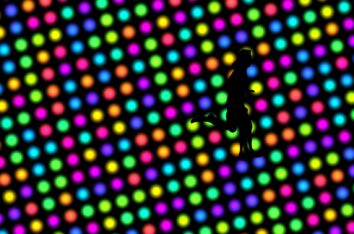
- psychedelic visuals
- music visualizers
- fluid simulations
- glitch effects
- generative art
- and experimental shader systems.
Some of the most mesmerizing real-time visuals rely on feedback.
What Is Shader Feedback?
Normally, shaders only render the current frame.
Each frame is calculated independently.
Feedback changes this by:
feeding the previous frame back into the shader.
In other words:
- the shader renders an image
- stores it
- then uses that image as input for the next frame.
This creates temporal accumulation.
The shader begins interacting with its own history.
Basic Feedback Concept
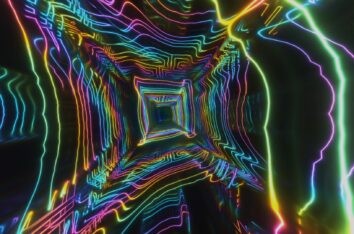
Think of it like pointing a video camera at its own monitor.
The image repeats recursively:
- creating echoes
- trails
- distortion
- and evolving patterns.
Shader feedback works similarly, but with mathematical control.
Why Feedback Is So Powerful
Without feedback:
- visuals exist only in the current frame.
With feedback:
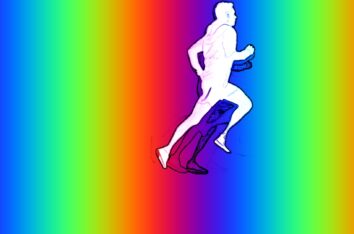
- motion leaves trails
- light accumulates
- patterns evolve
- and visuals gain memory.
This creates effects that feel:
- organic
- fluid
- immersive
- and alive.
How Feedback Works Technically
Most feedback systems use:
- frame buffers
- render targets
- or helper textures.
The previous frame is stored in a texture.
Then sampled in the next frame.
Example Feedback Flow
Frame 1
Render image.
↓
Frame 2
Sample Frame 1 texture and combine with new rendering.
↓
Frame 3
Sample accumulated result again.
↓
Repeat infinitely
Over time:
- patterns evolve
- motion accumulates
- and feedback emerges.
Simple Feedback Example
In platforms like Synesthesia or Shadertoy, feedback often looks like this:
vec3 feedback = texture(BuffA, uv).rgb;

feedback *= 0.98;

vec3 current = vec3(0.0);

fragColor.rgb = feedback + current;
This:
- samples the previous frame
- fades it slightly
- and adds new visuals.
Why Fading Matters
Without fading:
- the screen quickly becomes fully white
- or “bleaches out.”
This happens because:
brightness accumulates infinitely.
The fade factor controls persistence.
Example:
feedback *= 0.98;
Lower values:
- fade faster
- produce shorter trails.
Higher values:
- persist longer
- create stronger accumulation.
Common Feedback Effects
Motion Trails
One of the simplest uses.
Objects leave:
- streaks
- echoes
- or smears behind them.
Very common in:
- audio reactive visuals
- music visualizers
- and sci-fi effects.
Liquid Distortion
Feedback can be warped each frame:
uv += sin(uv.yx * 4.0 + iTime) * 0.002;
This creates:
- flowing motion
- fluid distortion
- melting effects
- and psychedelic movement.
Recursive Pattern Growth
Feedback systems can evolve recursively.
Tiny distortions compound over time, generating:
- fractals
- turbulence
- cellular structures
- and abstract organic motion.
This is where feedback becomes truly fascinating.
Audio Reactive Feedback
Audio works extremely well with feedback systems.
Music can control:
- trail intensity
- distortion amount
- glow persistence
- color accumulation
- and decay speed.
Example:
float bass = texture(syn_Spectrum, 0.05).g;

feedback *= 0.96 + bass * 0.03;
As bass increases:
- trails persist longer
- visuals bloom
- and motion intensifies.
UV Feedback Distortion
One of the most common techniques is:
distorting the UVs before sampling feedback.
Example:
vec2 offset = vec2(
    sin(uv.y * 8.0 + iTime),
    cos(uv.x * 8.0 + iTime)
) * 0.002;

vec3 feedback = texture(BuffA, uv + offset).rgb;
This creates:
- swirling motion
- flowing patterns
- liquid smearing
- and evolving psychedelic visuals.
Preventing Feedback Bleaching
One of the biggest feedback problems is:
uncontrolled brightness accumulation.
Solutions include:
Fading
feedback *= 0.97;
Clamping
feedback = clamp(feedback, 0.0, 1.0);
Tonemapping
Compressing brightness ranges smoothly.
Selective Feedback
Only feeding back certain channels or regions.
Multi-Buffer Feedback Systems
Advanced shaders often use:
- multiple buffers
- ping-pong rendering
- or layered feedback systems.
Each buffer may handle:
- particles
- distortion
- lighting
- velocity
- or fluid simulation separately.
This allows extremely complex visuals to emerge.
Performance Considerations
Feedback shaders can become expensive quickly.
Especially when combining:
- blur
- distortion
- raymarching
- particles
- and post-processing.
Optimization strategies include:
- lower resolutions
- simpler blur passes
- fewer texture samples
- and limiting recursive complexity.
Efficient feedback systems balance:
- persistence
- complexity
- and frame rate.
Why Feedback Feels Organic
Feedback introduces:
temporal continuity.
Visuals no longer exist as isolated frames.
Instead:
- motion evolves
- patterns grow
- and history matters.
This creates visuals that feel:
- alive
- fluid
- dreamlike
- and continuously evolving.
Feedback In Generative Art
Feedback is foundational to many forms of:
- generative art
- VJ visuals
- experimental graphics
- and audiovisual performance systems.
Tiny mathematical systems can evolve into:
- infinitely changing visual worlds.
That unpredictability is part of the appeal.
Final Thoughts
Shader feedback transforms graphics from:
static rendering
into:
evolving visual systems.
By recycling previous frames back into the rendering process, shaders gain:
- memory
- persistence
- motion history
- and recursive complexity.
Whether used subtly for:
- glow
- trails
- and motion blur
or aggressively for:
- psychedelic distortion
- recursive fractals
- and fluid simulations…
feedback remains one of the most exciting techniques in real-time graphics.
At its best, shader feedback creates visuals that no longer feel merely rendered.
They feel alive.